A tech support scam is a type of fraud where scammers trick people into believing their computer, phone, or other device has a serious problem—like a virus, hacking attempt, or software error—and then demand money or personal identification information to “fix” it.
Here’s how it usually works:
The setup (the scare tactic):
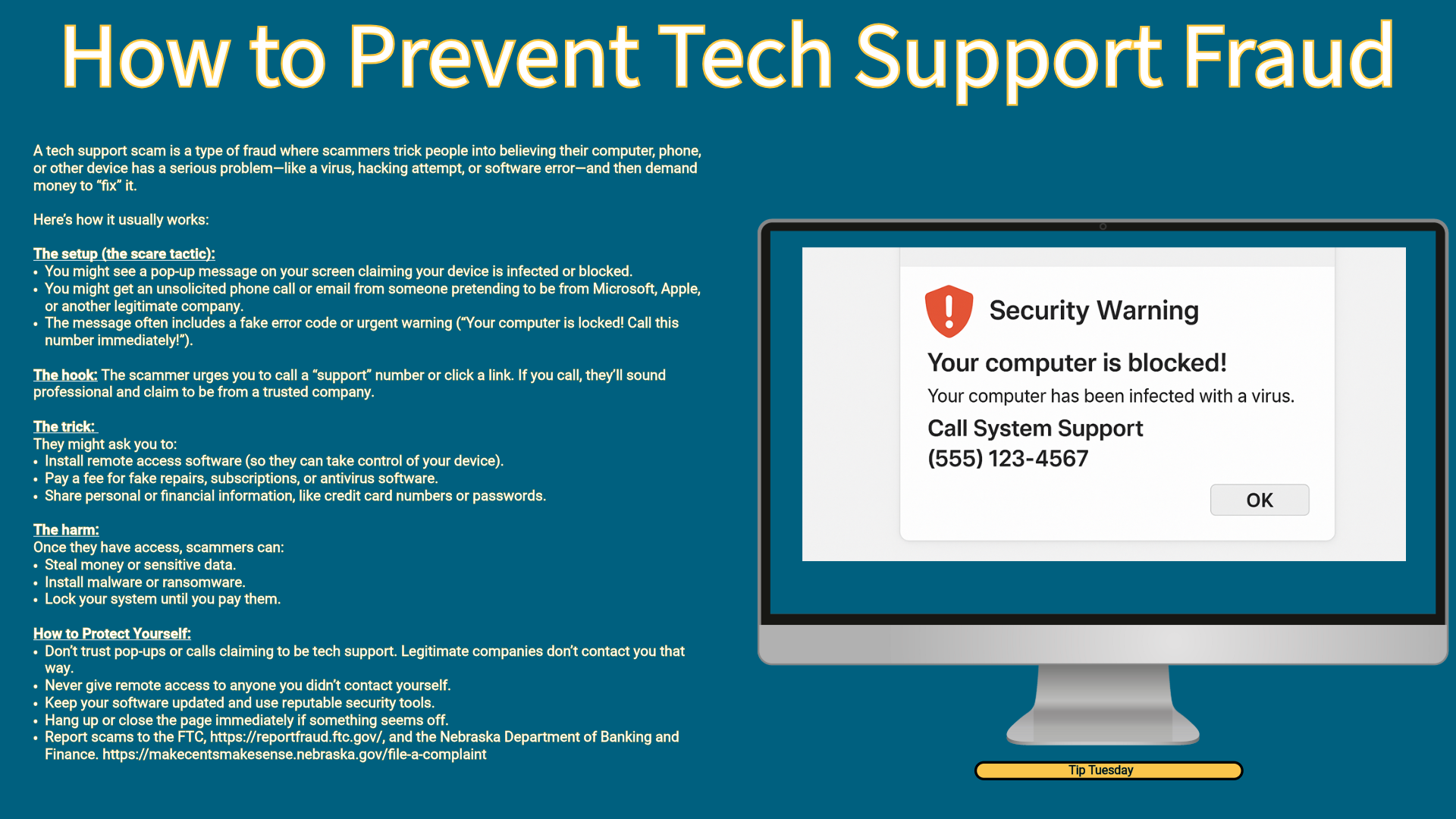
- You might see a pop-up message on your screen claiming your device is infected or blocked.
- You might get an unsolicited phone call or email from someone pretending to be from Microsoft, Apple, or another legitimate company.
- The message often includes a fake error code or urgent warning (“Your computer is locked! Call this number immediately!”).
The hook:
The scammer urges you to call a “support” number or click a link. If you call, they’ll sound professional and claim to be from a trusted company.
The trick:
They might ask you to:
- Install remote access software (so they can take control of your device).
- Pay a fee for fake repairs, subscriptions, or antivirus software.
- Share personal or financial information, like credit card numbers or passwords.
The harm:
Once they have access, scammers can:
- Steal money or sensitive data.
- Install malware or ransomware.
- Lock your system until you pay them.
How to Protect Yourself:
- Don’t trust pop-ups or calls claiming to be tech support. Legitimate companies don’t contact you that way.
- Never give remote access to anyone you didn’t contact yourself.
- Keep your software updated and use reputable security tools.
- Hang up or close the page immediately if something seems off.
- Report scams to the FTC's website and the Nebraska Department of Banking and Finance's website.